Hands-On Design
Enterprise Redesign: Streamlining Complex Workflows for Reliability and Growth
Enterprise Redesign: Streamlining Complex Workflows for Reliability and Growth
Role
Lead Product Designer — Conducting All Research & Design
Context
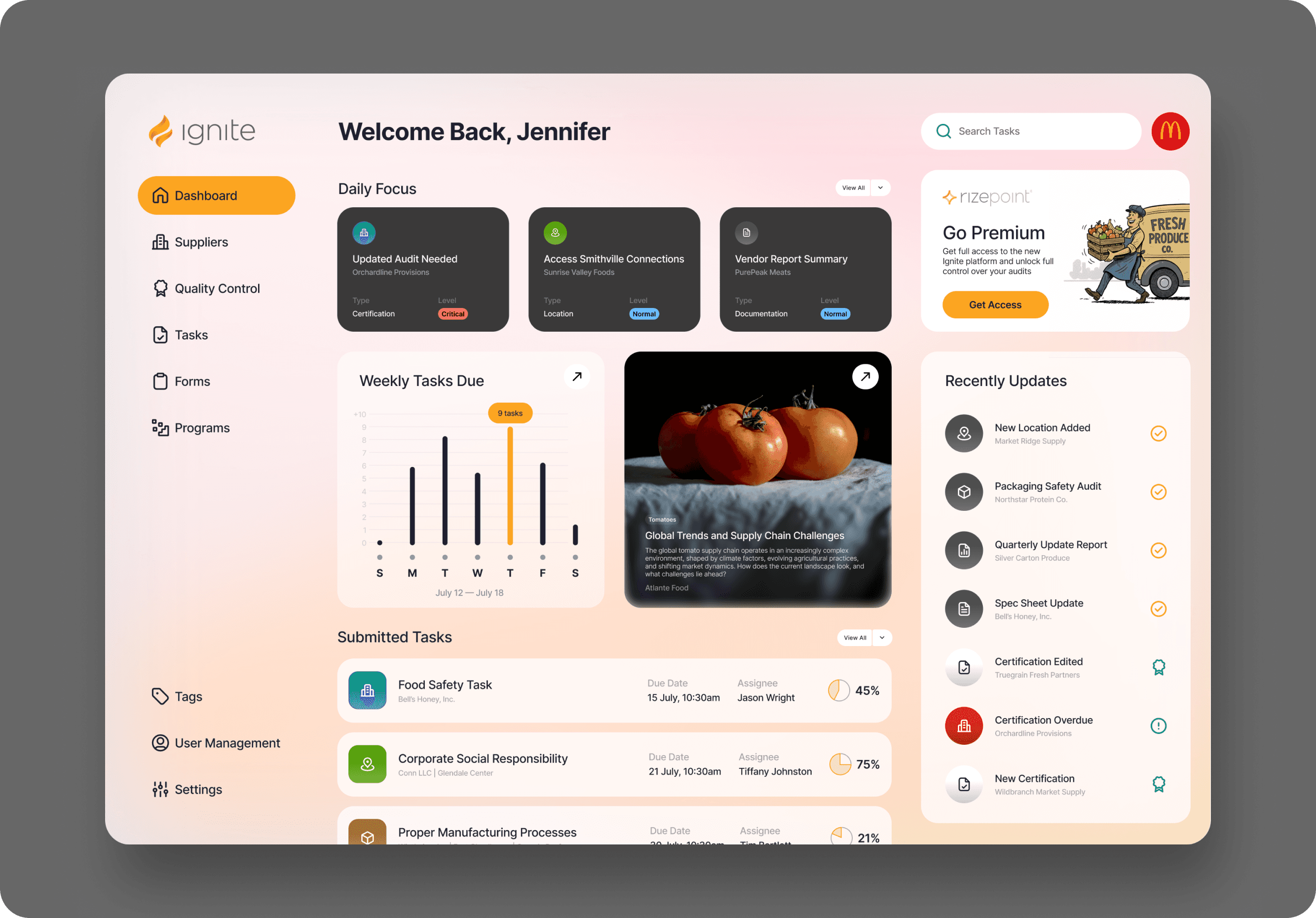
A complex enterprise platform serving business customers across multiple industries, with fragmented interfaces and inconsistency in workflows that limited adoption and increased support cost.
Mandate
Redesign core enterprise workflows and interfaces to improve usability, consistency, and efficiency for enterprise users and internal teams.
Scope
Led UX strategy and hands-on design execution
Collaborated with Product, Engineering, and Support
Redesigned high-impact screens, patterns, and flows
Validated with users across roles and segments
Outcomes
More intuitive workflows
Users completed complex tasks with fewer errors and less cognitive effort.
Reduced task completion friction
Users reported higher satisfaction with key flows and fewer support escalations.
Increased efficiency for enterprise customers
Users performed core tasks faster, which translated to higher productivity and lower training burden.
Consistent UI patterns across modules
Patterns that users learned in one area transferred to others, reducing onboarding time and confusion.
The Business Problem
Enterprise customers were vocal: the product felt inconsistent and hard to use.
Internally, support teams spent too much time explaining workflows. Engineering built features that didn’t fit the patterns customers expected. Sales teams had trouble onboarding new clients because the product expectations didn’t match what users experienced.
Fragmented UI, inconsistent patterns, and unclear calls-to-action were increasing cognitive load and lowering trust among enterprise customers.
This was slowing adoption, adding support burden, and limiting upsell potential.
Led the UX strategy, created the design system, and drove the redesign across multiple teams under tight deadlines.
Led the UX strategy, created the design system, and drove the redesign across multiple teams under tight deadlines.
Led the UX strategy, created the design system, and drove the redesign across multiple teams under tight deadlines.
Constraints
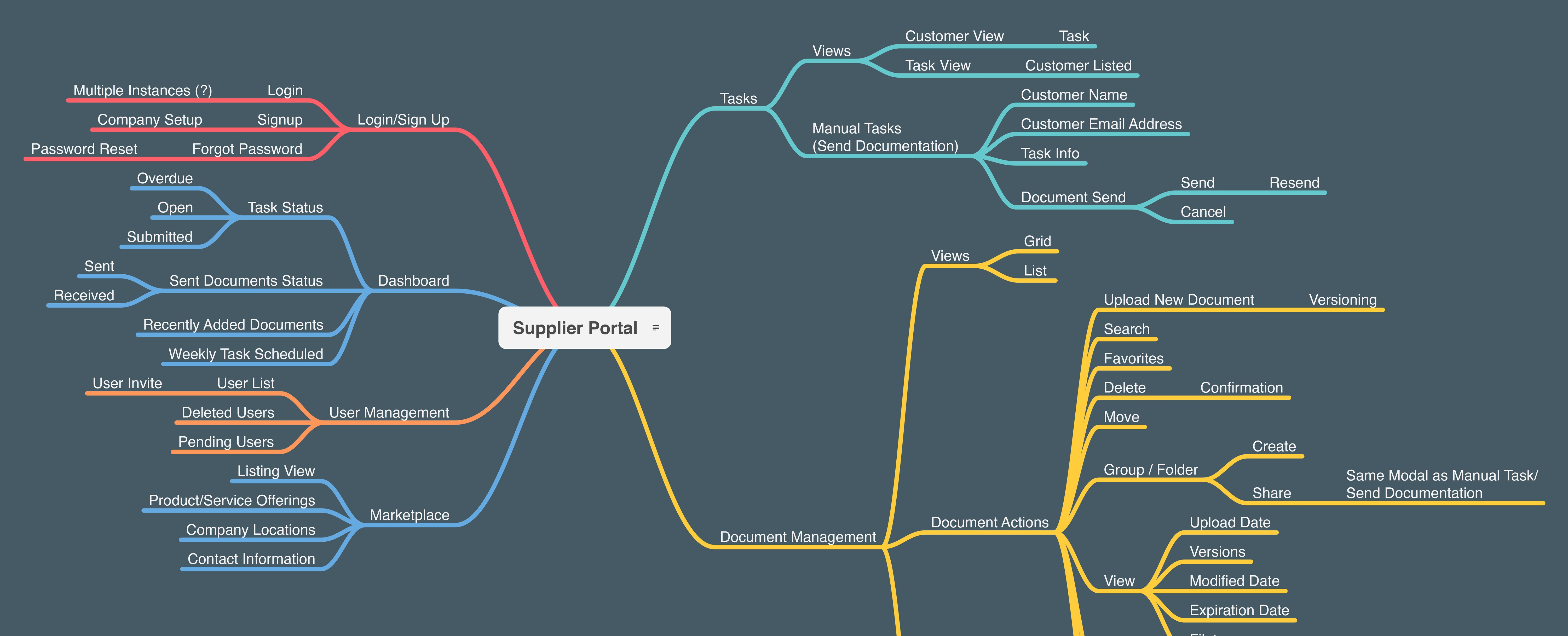
Multiple modules each evolved independently
Legacy flows that users were accustomed to but found inefficient
Tight delivery schedules with feature commitments already promised
Enterprise users with a range of expertise and needs
The redesign had to balance familiarity with efficiency and consistency.
Delivered a faster, more consistent user experience while meeting every deadline and maintaining full operational continuity.
Delivered a faster, more consistent user experience while meeting every deadline and maintaining full operational continuity.
Delivered a faster, more consistent user experience while meeting every deadline and maintaining full operational continuity.
Strategic Decisions
01.
Prioritize Workflows, Not Pages
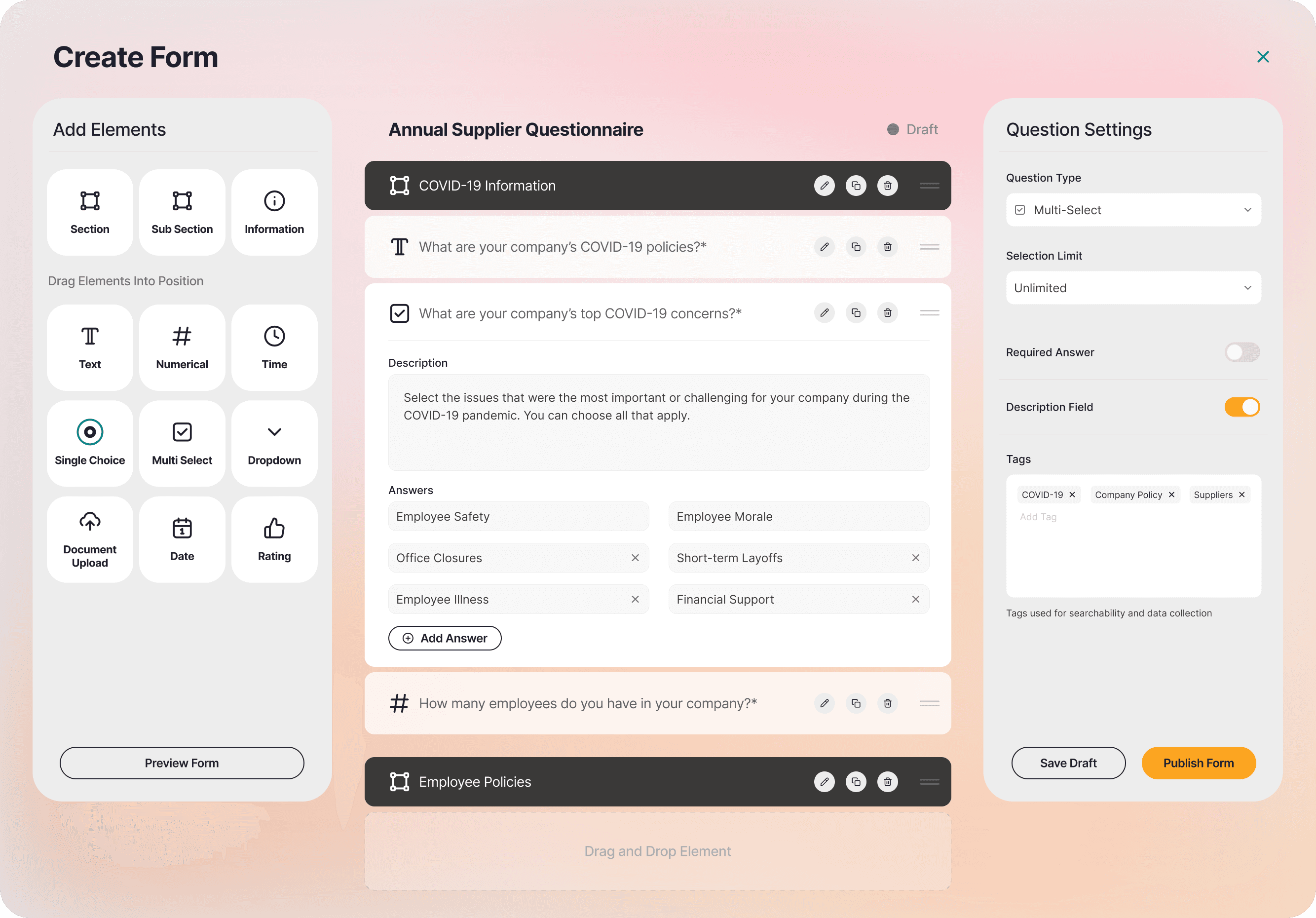
Rather than redesign screens in isolation, I mapped end-to-end workflows for key enterprise tasks and aligned redesign decisions with how users actually work, not how features were labeled internally.
What this involved:
Conducted task analysis with real users
Mapped workflows across modules
Defined metrics for success at each task boundary
02.
02.
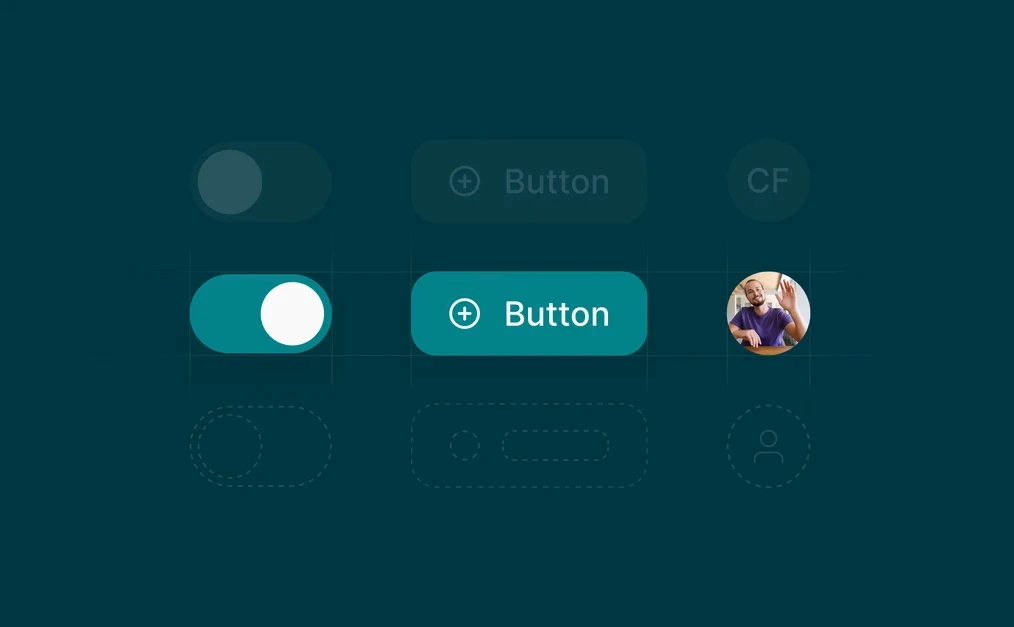
Standardize Patterns Across Modules
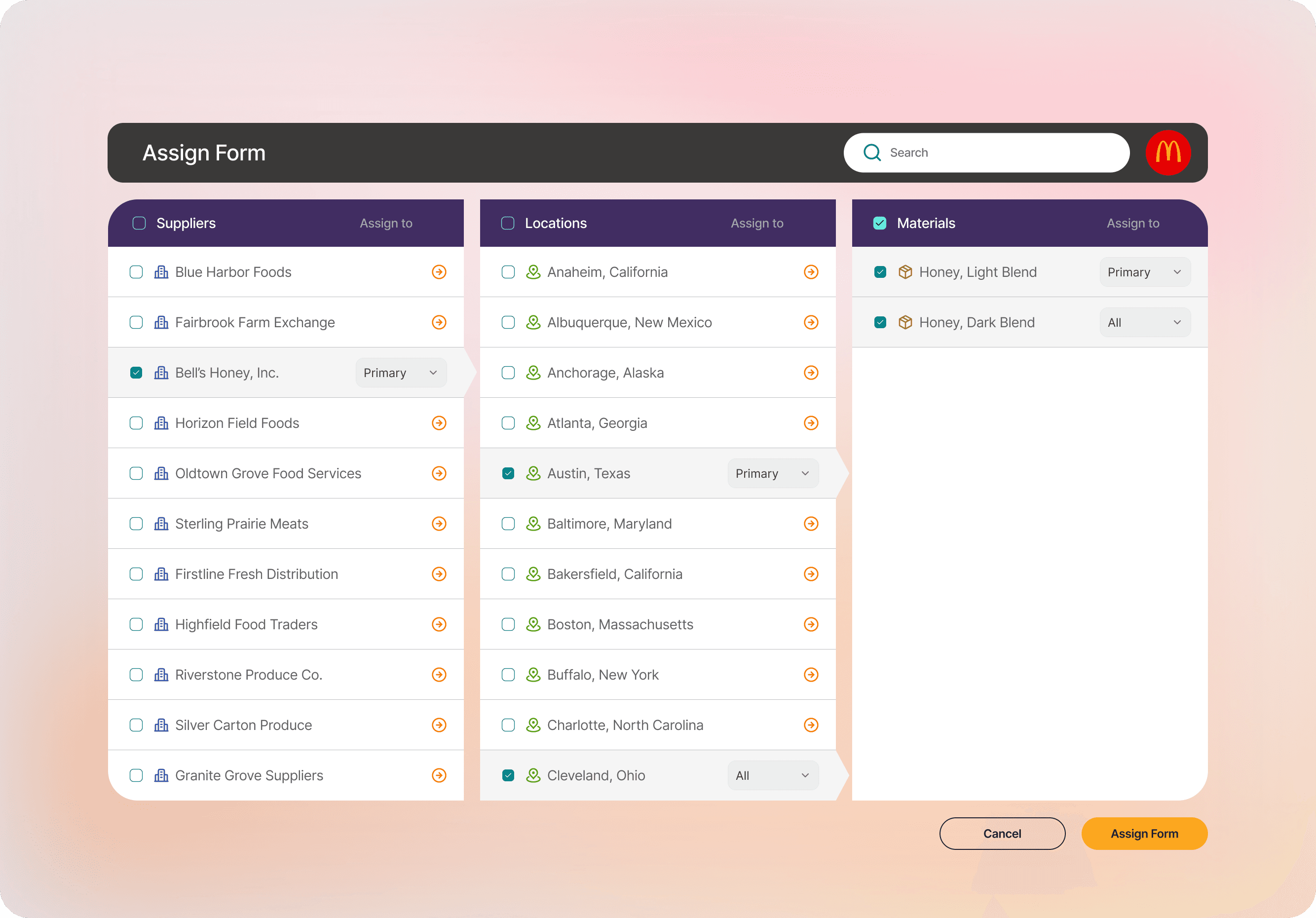
Surface differences in UI patterns that confused users and forced them to relearn interactions between modules. I consolidated patterns so that once a user learned one part of the app, they could transfer that understanding elsewhere.
Pattern simplification examples:
Unified navigation hierarchy
Consistent form behavior across contexts
Standardized error and success messaging
03.
03.
Validate Iteratively with Users
Rather than deliver a full polished design and hope for the best, I validated interactions early and often with users representing different roles and contexts.
Feedback loops:
Usability tests on prototypes
Task success rates monitored quantitatively
Iteration based on real user feedback, not internal assumptions
What Changed
Support volume dropped for common tasks
Time to onboard new enterprise users decreased
Internal alignment on patterns reduced rework
Teams reused components and flows instead of redesigning them
This was not about making it look nicer. It was about reducing wasted time for users and internal teams.
Why This Matters
Enterprise products succeed when they reduce friction in workflows people rely on every day.
This redesign improved:
User satisfaction
Learnability
Efficiency
Internal predictability in delivery
Those aren’t UX buzzwords. They’re business levers.

More Projects



Hands-On Design
Enterprise Redesign: Streamlining Complex Workflows for Reliability and Growth
Enterprise Redesign: Streamlining Complex Workflows for Reliability and Growth
Role
Lead Product Designer — Conducting All Research & Design
Context
A complex enterprise platform serving business customers across multiple industries, with fragmented interfaces and inconsistency in workflows that limited adoption and increased support cost.
Mandate
Redesign core enterprise workflows and interfaces to improve usability, consistency, and efficiency for enterprise users and internal teams.
Scope
Led UX strategy and hands-on design execution
Collaborated with Product, Engineering, and Support
Redesigned high-impact screens, patterns, and flows
Validated with users across roles and segments
Outcomes
More intuitive workflows
Users completed complex tasks with fewer errors and less cognitive effort.
Reduced task completion friction
Users reported higher satisfaction with key flows and fewer support escalations.
Increased efficiency for enterprise customers
Users performed core tasks faster, which translated to higher productivity and lower training burden.
Consistent UI patterns across modules
Patterns that users learned in one area transferred to others, reducing onboarding time and confusion.
The Business Problem
Enterprise customers were vocal: the product felt inconsistent and hard to use.
Internally, support teams spent too much time explaining workflows. Engineering built features that didn’t fit the patterns customers expected. Sales teams had trouble onboarding new clients because the product expectations didn’t match what users experienced.
Fragmented UI, inconsistent patterns, and unclear calls-to-action were increasing cognitive load and lowering trust among enterprise customers.
This was slowing adoption, adding support burden, and limiting upsell potential.
Led the UX strategy, created the design system, and drove the redesign across multiple teams under tight deadlines.
Led the UX strategy, created the design system, and drove the redesign across multiple teams under tight deadlines.
Led the UX strategy, created the design system, and drove the redesign across multiple teams under tight deadlines.
Constraints
Multiple modules each evolved independently
Legacy flows that users were accustomed to but found inefficient
Tight delivery schedules with feature commitments already promised
Enterprise users with a range of expertise and needs
The redesign had to balance familiarity with efficiency and consistency.
Delivered a faster, more consistent user experience while meeting every deadline and maintaining full operational continuity.
Delivered a faster, more consistent user experience while meeting every deadline and maintaining full operational continuity.
Delivered a faster, more consistent user experience while meeting every deadline and maintaining full operational continuity.
Strategic Decisions
01.
Prioritize Workflows, Not Pages
Rather than redesign screens in isolation, I mapped end-to-end workflows for key enterprise tasks and aligned redesign decisions with how users actually work, not how features were labeled internally.
What this involved:
Conducted task analysis with real users
Mapped workflows across modules
Defined metrics for success at each task boundary
02.
02.
Standardize Patterns Across Modules
Surface differences in UI patterns that confused users and forced them to relearn interactions between modules. I consolidated patterns so that once a user learned one part of the app, they could transfer that understanding elsewhere.
Pattern simplification examples:
Unified navigation hierarchy
Consistent form behavior across contexts
Standardized error and success messaging
03.
03.
Validate Iteratively with Users
Rather than deliver a full polished design and hope for the best, I validated interactions early and often with users representing different roles and contexts.
Feedback loops:
Usability tests on prototypes
Task success rates monitored quantitatively
Iteration based on real user feedback, not internal assumptions
What Changed
Support volume dropped for common tasks
Time to onboard new enterprise users decreased
Internal alignment on patterns reduced rework
Teams reused components and flows instead of redesigning them
This was not about making it look nicer. It was about reducing wasted time for users and internal teams.
Why This Matters
Enterprise products succeed when they reduce friction in workflows people rely on every day.
This redesign improved:
User satisfaction
Learnability
Efficiency
Internal predictability in delivery
Those aren’t UX buzzwords. They’re business levers.
More Projects
Hands-On Design
Enterprise Redesign: Streamlining Complex Workflows for Reliability and Growth
Enterprise Redesign: Streamlining Complex Workflows for Reliability and Growth
Role
Lead Product Designer — Conducting All Research & Design
Context
A complex enterprise platform serving business customers across multiple industries, with fragmented interfaces and inconsistency in workflows that limited adoption and increased support cost.
Mandate
Redesign core enterprise workflows and interfaces to improve usability, consistency, and efficiency for enterprise users and internal teams.
Scope
Led UX strategy and hands-on design execution
Collaborated with Product, Engineering, and Support
Redesigned high-impact screens, patterns, and flows
Validated with users across roles and segments
Outcomes
More intuitive workflows
Users completed complex tasks with fewer errors and less cognitive effort.
Reduced task completion friction
Users reported higher satisfaction with key flows and fewer support escalations.
Increased efficiency for enterprise customers
Users performed core tasks faster, which translated to higher productivity and lower training burden.
Consistent UI patterns across modules
Patterns that users learned in one area transferred to others, reducing onboarding time and confusion.
The Business Problem
Enterprise customers were vocal: the product felt inconsistent and hard to use.
Internally, support teams spent too much time explaining workflows. Engineering built features that didn’t fit the patterns customers expected. Sales teams had trouble onboarding new clients because the product expectations didn’t match what users experienced.
Fragmented UI, inconsistent patterns, and unclear calls-to-action were increasing cognitive load and lowering trust among enterprise customers.
This was slowing adoption, adding support burden, and limiting upsell potential.
Led the UX strategy, created the design system, and drove the redesign across multiple teams under tight deadlines.
Led the UX strategy, created the design system, and drove the redesign across multiple teams under tight deadlines.
Led the UX strategy, created the design system, and drove the redesign across multiple teams under tight deadlines.
Constraints
Multiple modules each evolved independently
Legacy flows that users were accustomed to but found inefficient
Tight delivery schedules with feature commitments already promised
Enterprise users with a range of expertise and needs
The redesign had to balance familiarity with efficiency and consistency.
Delivered a faster, more consistent user experience while meeting every deadline and maintaining full operational continuity.
Delivered a faster, more consistent user experience while meeting every deadline and maintaining full operational continuity.
Delivered a faster, more consistent user experience while meeting every deadline and maintaining full operational continuity.
Strategic Decisions
01.
Prioritize Workflows, Not Pages
Rather than redesign screens in isolation, I mapped end-to-end workflows for key enterprise tasks and aligned redesign decisions with how users actually work, not how features were labeled internally.
What this involved:
Conducted task analysis with real users
Mapped workflows across modules
Defined metrics for success at each task boundary
02.
02.
Standardize Patterns Across Modules
Surface differences in UI patterns that confused users and forced them to relearn interactions between modules. I consolidated patterns so that once a user learned one part of the app, they could transfer that understanding elsewhere.
Pattern simplification examples:
Unified navigation hierarchy
Consistent form behavior across contexts
Standardized error and success messaging
03.
03.
Validate Iteratively with Users
Rather than deliver a full polished design and hope for the best, I validated interactions early and often with users representing different roles and contexts.
Feedback loops:
Usability tests on prototypes
Task success rates monitored quantitatively
Iteration based on real user feedback, not internal assumptions
What Changed
Support volume dropped for common tasks
Time to onboard new enterprise users decreased
Internal alignment on patterns reduced rework
Teams reused components and flows instead of redesigning them
This was not about making it look nicer. It was about reducing wasted time for users and internal teams.
Why This Matters
Enterprise products succeed when they reduce friction in workflows people rely on every day.
This redesign improved:
User satisfaction
Learnability
Efficiency
Internal predictability in delivery
Those aren’t UX buzzwords. They’re business levers.